WordPress plugin suite
An AI receptionist that lives inside your WordPress
Install the plugins, add your keys, and your site can answer visitors from its own pages. Everything runs in your WordPress, with your database and your accounts.
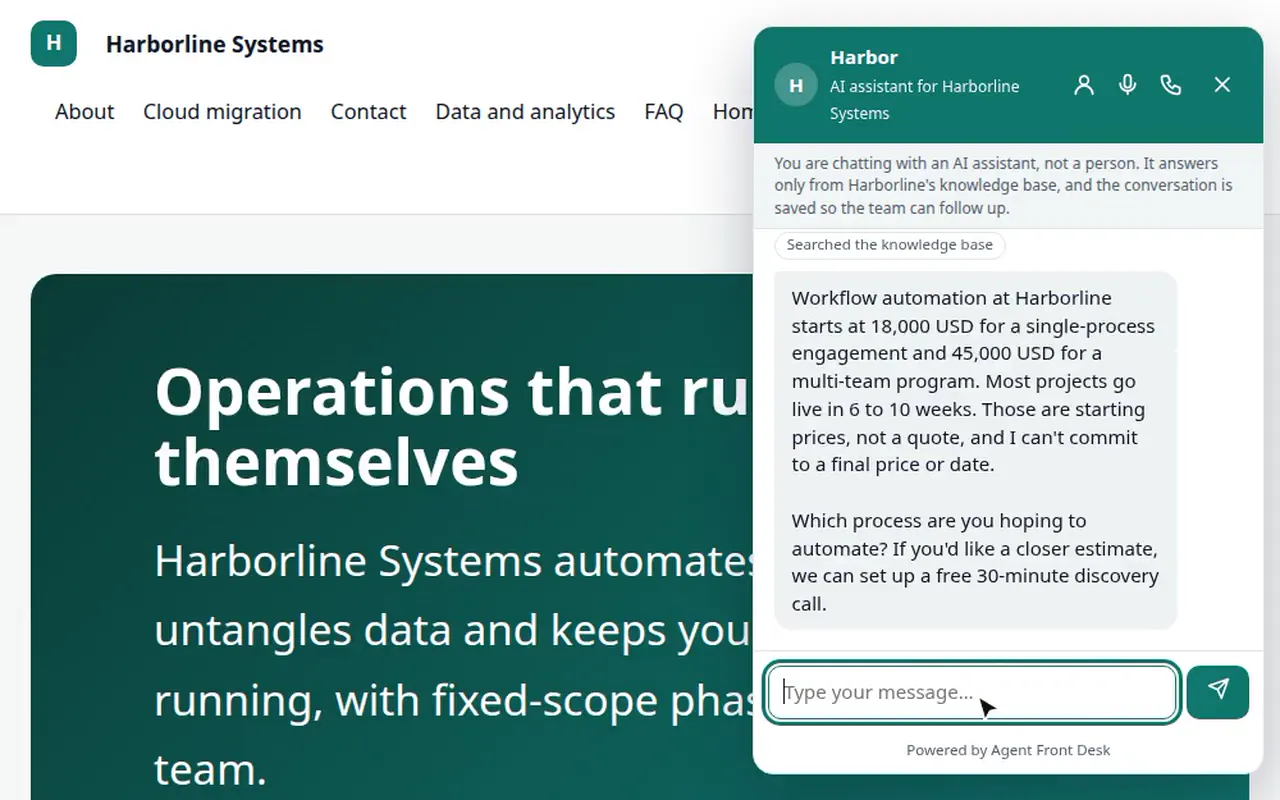
Agent Front Desk is an AI receptionist for WordPress websites: a suite of plugins that runs inside your own WordPress, answers visitors by chat, browser voice, phone and text message from your own pages, captures and scores leads, books meetings only after the visitor confirms, hands over to a person live, and syncs to your CRM (HubSpot built in). It is GPL code, uses your own API keys, and is set up by NextAgency.
The suite
Six plugins, one assistant
Core plugin
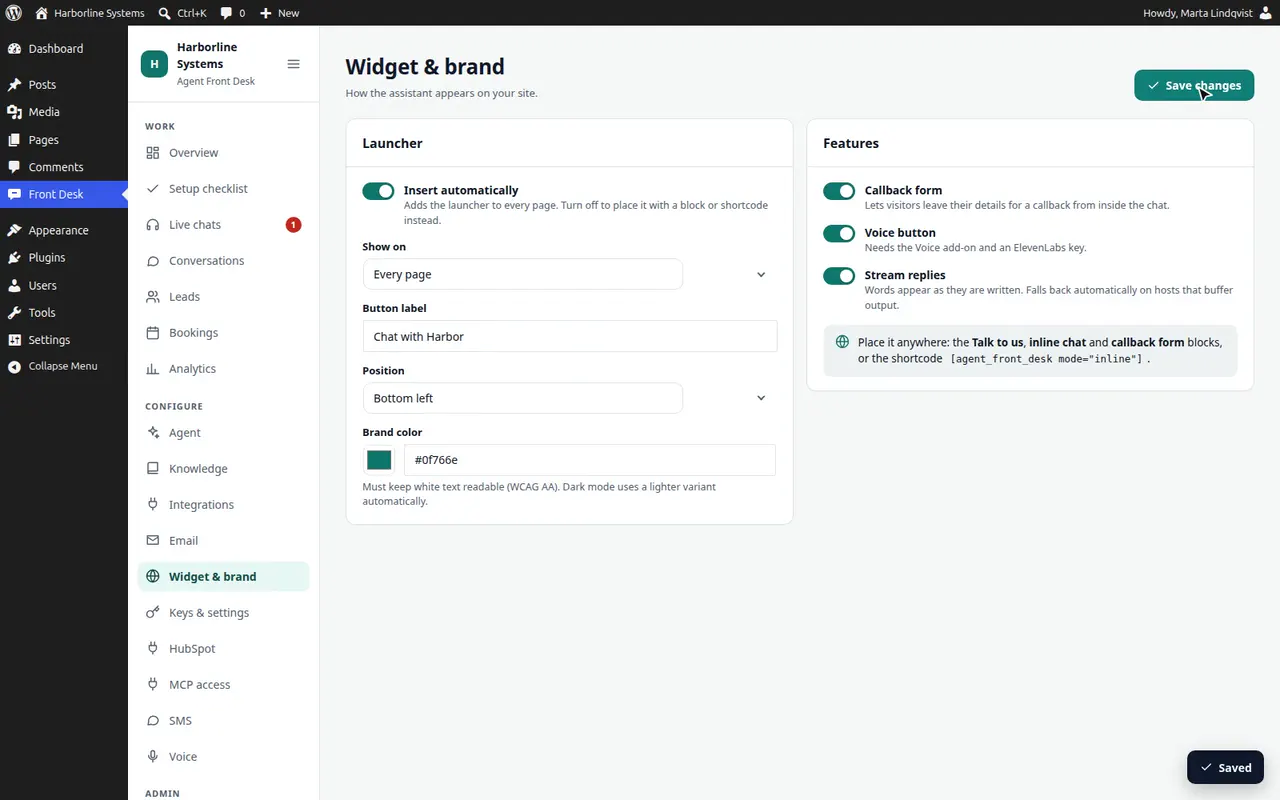
Chat, knowledge from your WordPress pages and posts, leads and scoring, booking with confirmation, live handover, conversations, analytics, audit log, roles, and the widget.
Voice add-on
Browser voice through your own ElevenLabs account. WordPress mints the signed session; your ElevenLabs key never reaches the browser.
HubSpot add-on
Contacts, notes, meetings, and companies, deals and owners when the scopes allow, plus support tickets. Field mapping, a scope table, a sync log and retry.
MCP add-on
15 tools for Claude, Claude Code and ChatGPT: tokens or application passwords, and OAuth 2.1 for the ChatGPT and claude.ai connectors.
Phone add-on
An inbound AI phone line on your own SignalWire or Twilio number. The same assistant and tools, guards and a minute cap checked by WordPress before every call, a spoken-yes booking check, and a call replay with captions for every call.
SMS add-on
The same assistant by text message, on your own SignalWire or Twilio account. Customers text your number or tap “Text me instead”; staff can take over by text. A Test mode sends nothing while you try it.
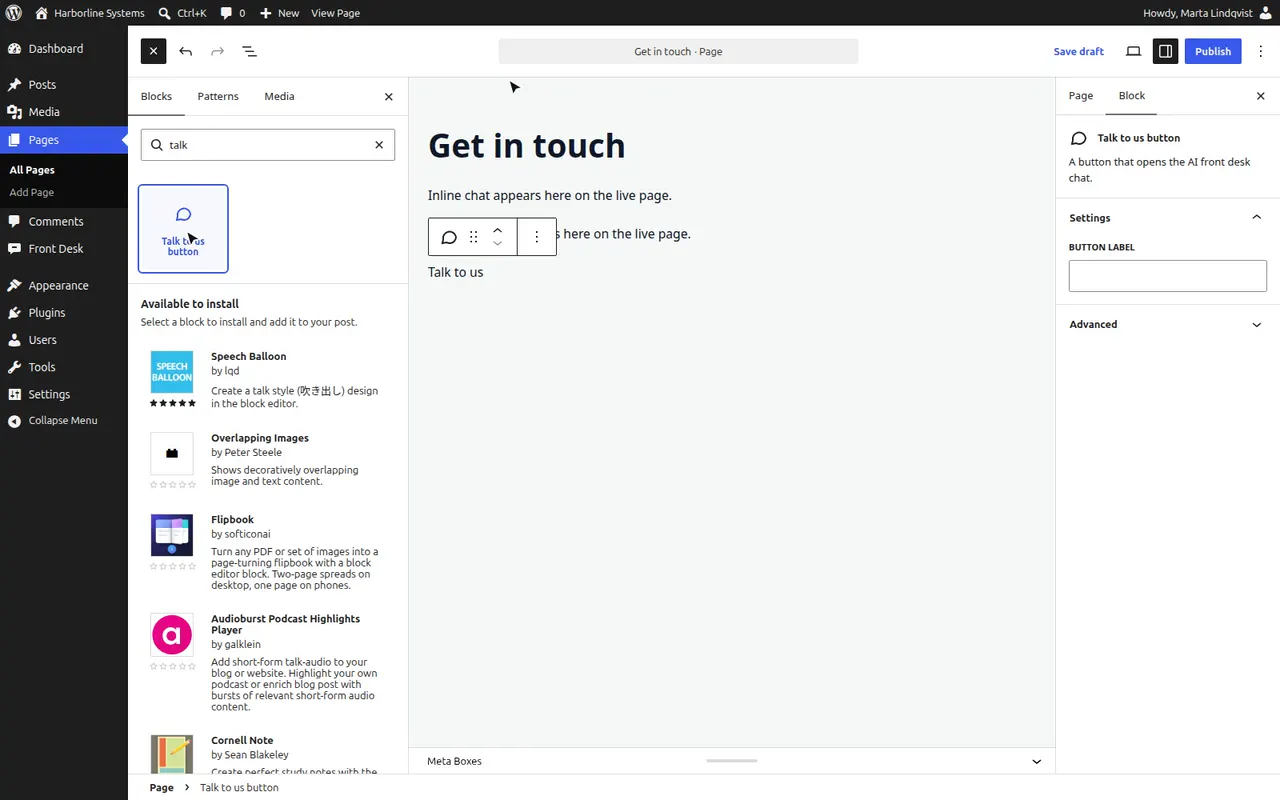
Activate the add-ons you want. Each one adds its own screen under Front Desk in wp-admin.
How it installs
Activate, add keys, follow the checklist
- 1.Upload and activate the core plugin, then any add-ons.
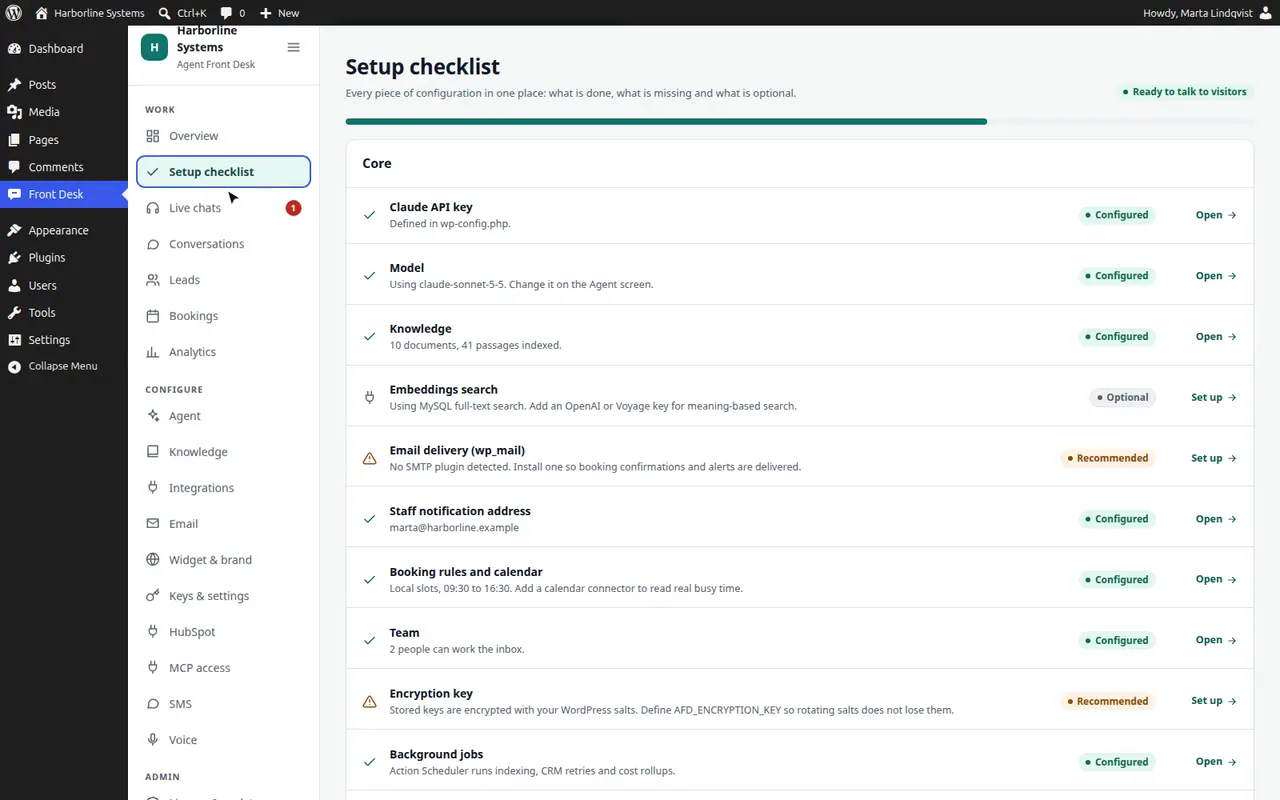
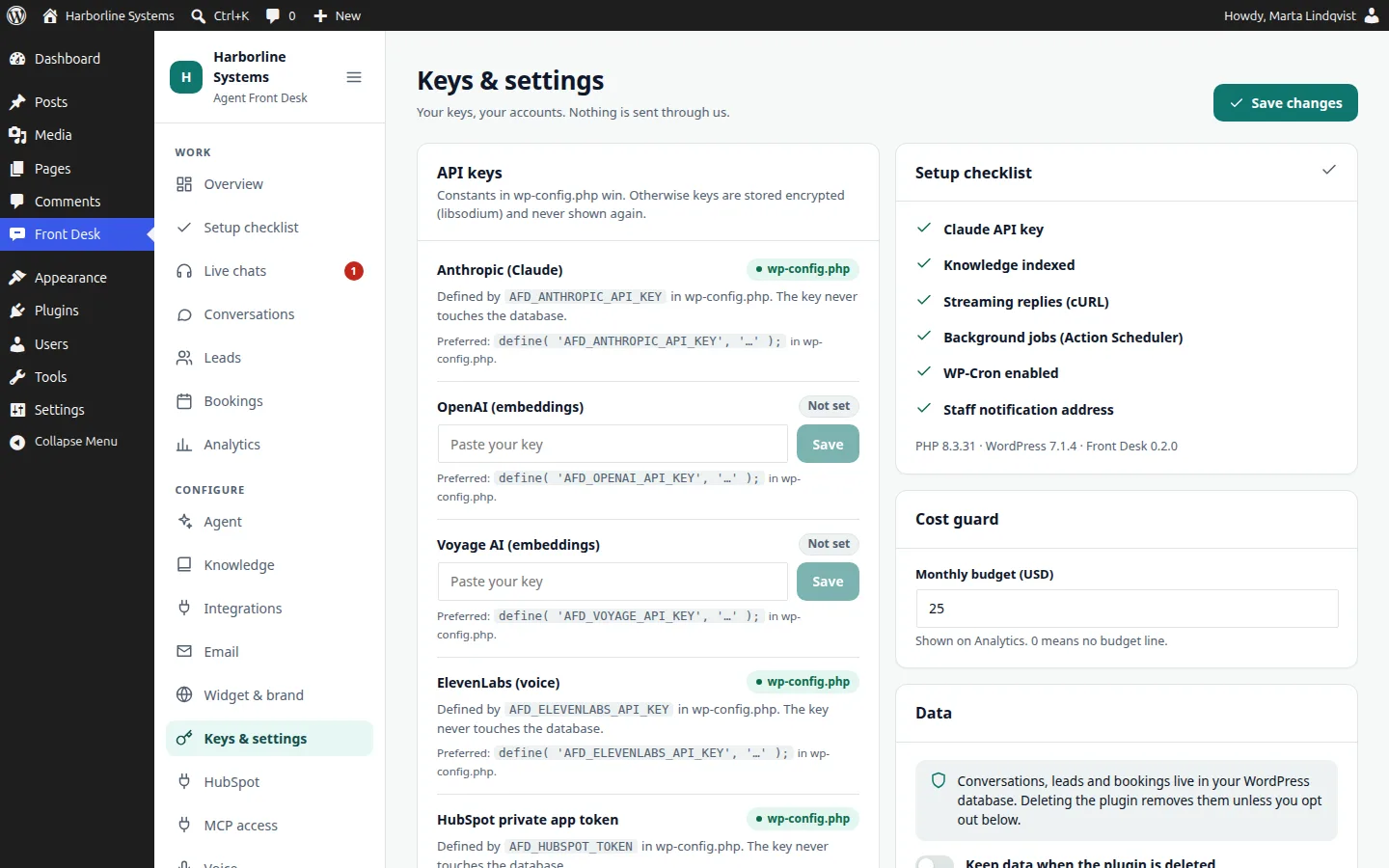
- 2.Add your Anthropic key to wp-config.php, or paste it in Keys and settings. It is stored encrypted and never shown again.
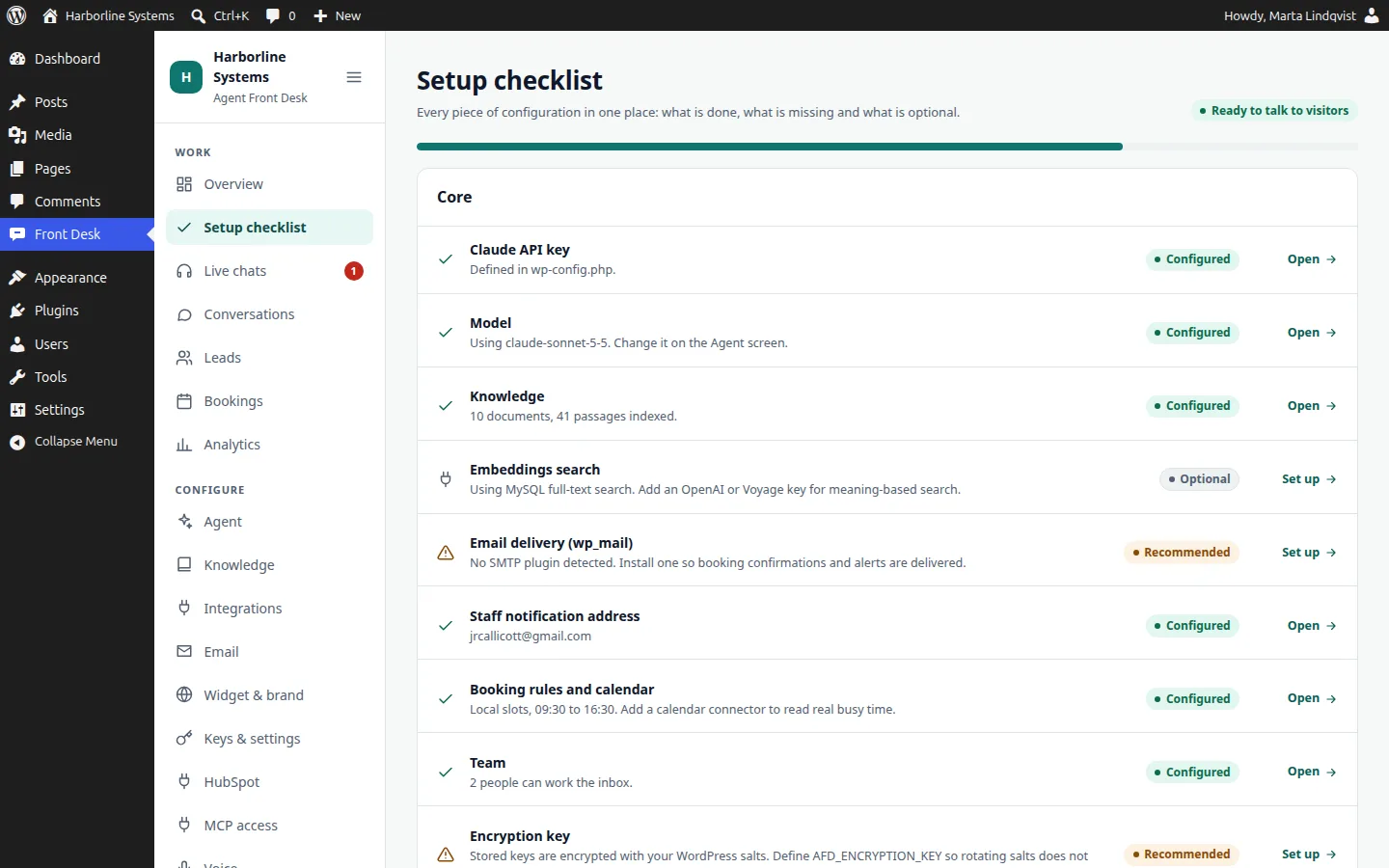
- 3.Open the Setup checklist. Green is configured, amber is recommended, gray is optional, with a link to each screen.
- 4.Your published pages are indexed within seconds. Test the assistant in the playground, then turn it on.
In the private beta, we do this with you and tune it to your business.
What you will need
Short list, and most of it is optional
Only the first three are required. Each line says what it is for, so you can skip what you do not want.
Required
WordPress 6.6 or newer, PHP 8.1, HTTPS and pretty permalinks
The MCP add-on needs WordPress 6.9 or newer.
Required
An Anthropic (Claude) API key
Set a spend limit in your Anthropic console. The key lives in wp-config.php or encrypted in your database.
Required
Some knowledge
Your published pages are indexed automatically. You can add PDFs, Word files, Markdown, text, CSV, JSON, a web page, or a written answer.
Optional
An SMTP or transactional email plugin
Recommended. Notifications and confirmations go out through wp_mail(), so your mail setup applies.
Optional
An ElevenLabs account
Only for browser voice. About $0.08 per minute at pay-as-you-go.
Optional
A SignalWire or Twilio account and a number
Only for phone calls or texting, on a number you already own. Texting in the US requires registration of each business (10DLC for a local number, or toll-free verification), which takes days to weeks and is done per client. Inbound phone calls need no registration. Test mode needs none of it.
Optional
A HubSpot private app
Only for CRM sync. Only the contacts scope is required; missing scopes are skipped and logged.
Optional
An OpenAI or Voyage key
Only for meaning-based search. Without one, search uses MySQL full-text.
Your keys, your data, your code
- Keys in wp-config.php stay out of the database. Keys saved in the admin are encrypted with libsodium.
- No iframes. No third-party scripts load on your pages. We checked the widget, the admin and a real voice call, and the only outside requests go to your site and to ElevenLabs.
- The only outside services called are the ones you set up: Anthropic, ElevenLabs, HubSpot, and optional OpenAI or Voyage.
- A monthly budget guard, and a cost panel with your real usage.
- Deactivate and your site is untouched. Uninstall removes the tables, options and staff role.
Limits
What to know before you install
The honest list, from our own platform notes.
- Chat streams replies word by word on hosts that do not buffer PHP output. Where a host or CDN buffers, the widget falls back to a normal reply.
- Live handover polls about every 2.5 seconds. That suits small and medium traffic.
- Search runs in PHP. That is fine to tens of thousands of passages.
- WP-Cron needs traffic or a real cron for retries and cost rollups.
- Voice needs HTTPS, and recording notice rules in your area are your responsibility.
- Multisite is untested. Scanned image PDFs are not read.
- Phone calls are inbound only, with the Phone add-on on your own number. Texting with the SMS add-on needs a registered US number. A callback form for staff is included.
Not on WordPress? The same assistant is available as a custom option: a separate app we deploy in your own cloud account. It is a larger project, and we scope it with you.
WordPress questions
Is this SaaS?
No. It is a set of WordPress plugins that runs inside your own WordPress, with your database and your API keys. There is no hosted service and nothing is routed through us.
Can I add it to an existing WordPress site?
Yes. Install and activate the plugins, add your keys, and the chat launcher appears on the site. It reads your published pages and posts, so it can answer from what is already there.
Do I need WordPress?
The main product is a suite of WordPress plugins. For sites that are not on WordPress, we offer a custom option: the same assistant as a separate app that we deploy in your own cloud account.
What happens to my website if I stop using it?
Deactivate the plugins and your site is untouched. Uninstalling removes the plugins’ tables, options and staff role. You keep your pages, your keys and your accounts.
Put it on your WordPress site
The private beta has limited spots, and each one is set up by hand. Tell us about your site and your CRM.