Private betaLimited spots, set up by hand
The AI front desk you own, built into your website and your CRM.
One assistant answers visitors by chat, by voice in the browser and by phone. It books calls only after the visitor says yes, hands over to your team live, and writes every lead to your CRM.

Demo site for Harborline Systems, a fictional client. The assistant is the product; the site around it is the client's.
See it work
A real voice call, start to finish
Recorded against the live demo. Nothing staged and no actors, only a fictional client.
One assistant, three ways in
Chat, voice and phone share one brain
Most tools do one channel well. Here every channel uses the same knowledge base and the same set of actions, so an answer is the same wherever it is asked.
1
Chat
A launcher on every page. Visitors ask about your services and get answers from your own content, not from the open internet.
2
Browser voice
One click to talk, no phone needed. The same assistant, the same answers, spoken.
3
Phone and callback
Visitors leave a number and it calls them back. Inbound calls go through your own Twilio number.
It answers only from your knowledge base. It says it is an AI. It qualifies the lead, proposes times, and nothing is booked or submitted until the visitor confirms.
Your CRM
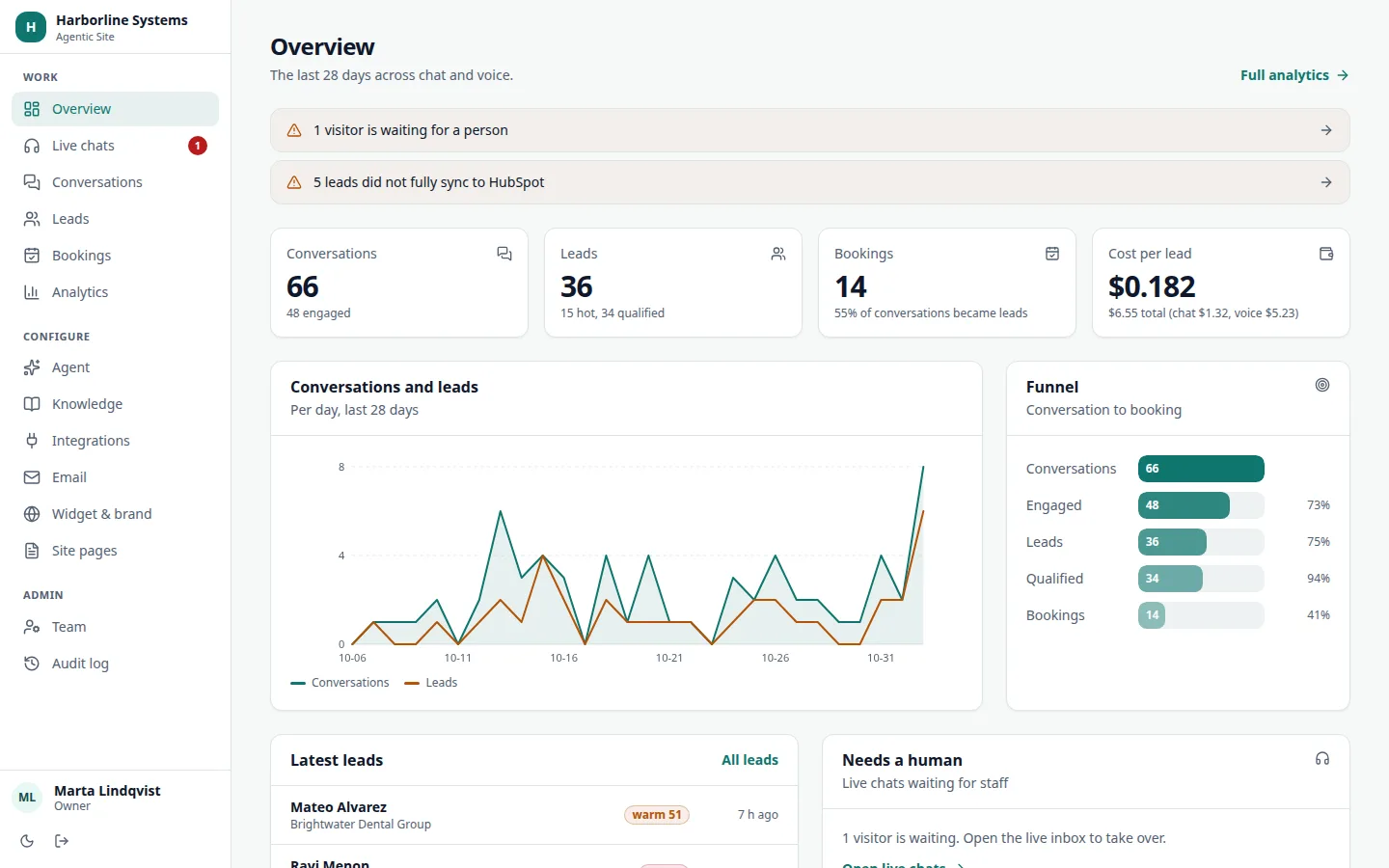
Every lead lands where your team already works
Works with your CRM: HubSpot built in, others connected during implementation.
- Contacts created or updated by email, no duplicates
- A deal in the pipeline and stage you choose when a call is booked
- The meeting and a conversation summary on the contact timeline
- A sync log on every lead, with a retry button if a step fails

MCP, both directions
Run your front desk from ChatGPT or Claude
Add one connector and ask: how many hot leads this week, what did the visitor say, what should we add to the knowledge base. Sign in once and choose read-only or read and write. Every call is in the audit log.
It goes the other way too. Connect the agent to your own order, booking or ticketing system over MCP. Lookups run now. Anything that changes data waits for the visitor to confirm.
How MCP works here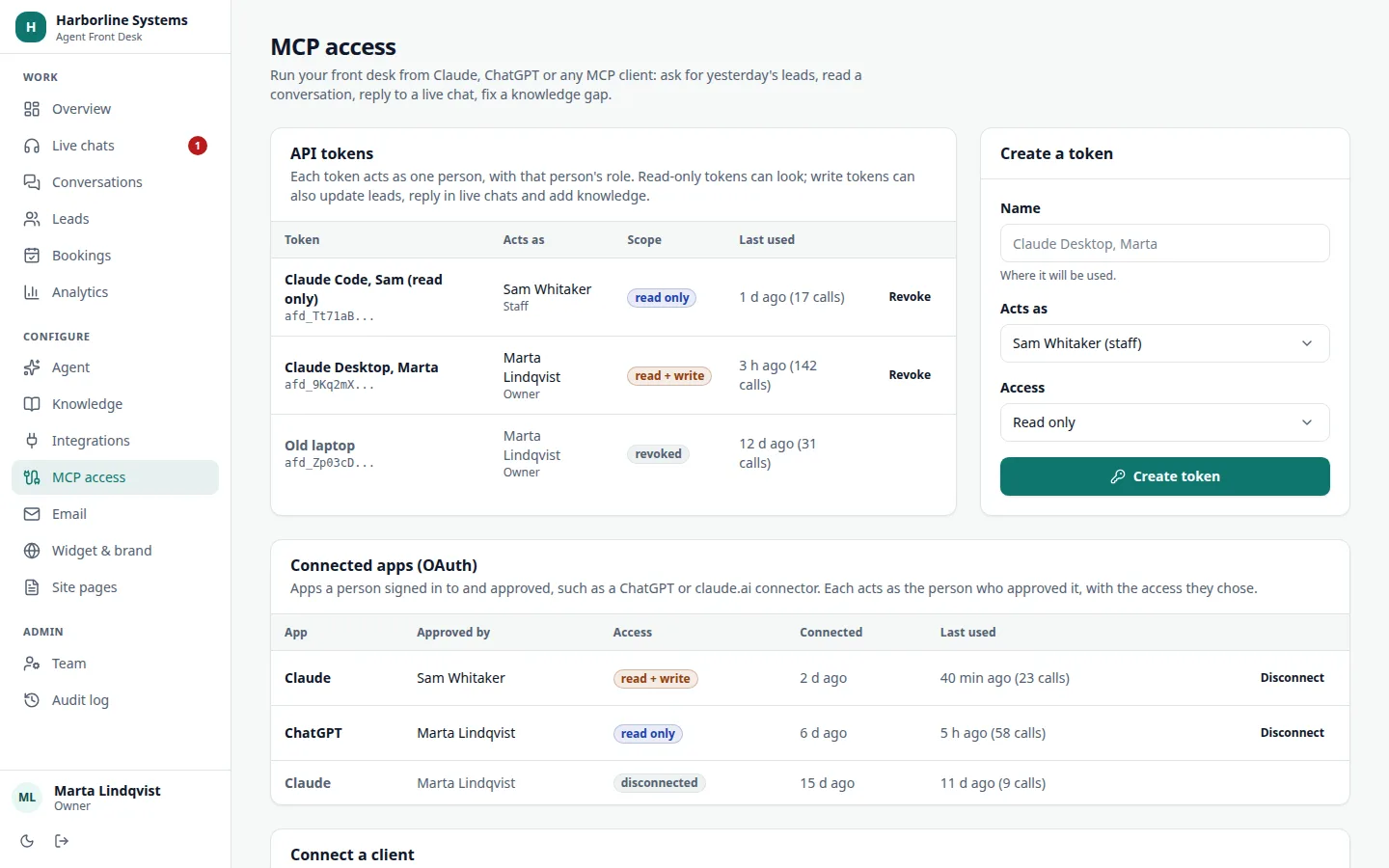
Ownership
You own it. We build it.
Each client gets their own install: their own database, their own keys, their own source. It is not a shared platform and you are not a seat on someone else's account.
- Your accounts for the AI model, voice, email and database
- Your source code and your data, handed over at the end
- AI and voice billed at cost by the vendors, to you
- No per-seat or per-conversation markup, ever
How an implementation works
From first call to live in days, not a quarter
The standard path is about a day of hands-on setup, plus the time your team needs to supply content and accounts.
Step 1
Scope
A call about your services, hours, CRM and the questions your customers really ask.
Step 2
Set up
Your own copy of the app, database and keys. Branded to match your site.
Step 3
Teach
Load your documents and pages, then test with real questions until the answers hold.
Step 4
Connect
CRM, calendar, email and, if you want it, phone. Each tested with a real lead.
Step 5
Launch
One script tag on your site. Staff trained. A two-week check-in on gaps and costs.
Private beta
What the private beta includes, and who it is for
We are taking on a small number of businesses, because each one is set up by hand with us.
What you get
- Your own install: your accounts, source and data
- Chat and browser voice on your site, with phone if you want it
- Your CRM connected: HubSpot built in, others during setup
- A quote for your business before anything is built
- Direct access to the person who builds it
Who it is for
- Service businesses that get questions and leads through their website
- Teams with a CRM, or about to have one
- Owners who want to own the tool, not rent a seat
- People happy to give honest feedback on new software
Trust
Built to be disclosed and accessible
AI disclosure and consent
The widget tells visitors they are talking to an AI and that the conversation is saved. Voice calls carry a recording notice you word.
WCAG 2.2 AA
Contrast-checked colours, visible focus, keyboard use and screen reader labels. Automated checks run on every admin page, and we do a manual pass per client.
Join the private beta
The private beta has limited spots, and each one is set up by hand. Tell us what you run and which CRM you use.